

Every IT team has faced this struggle: a simple request—“Who should have access to this app?”—turns into hours of combing through spreadsheets, cross-checking roles, and chasing down stakeholders.
As SaaS adoption accelerates, the problems compound: too many apps with inconsistent permission models, limited visibility into who has access, and manual provisioning that’s slow, error-prone, and risky.
The answer lies in a Role-based Access Control Policy Matrix—a structured way to define and standardize who gets access to what, based on role, department, and location. Instead of scattered spreadsheets and ad-hoc approvals, IT teams get one source of truth.
Why IT teams struggle with SaaS access management (and how an Access Control Matrix helps)
The root of the access control challenge is sprawl—both in SaaS apps and in the business itself. Every new tool, role type, contractor, or location multiplies the complexity of deciding who should have access to what. Here’s where an IT Access Control Matrix (ACM) comes in. It’s a structured framework that defines:
- Who (users, roles, departments)
- Which apps they can access
- At what level (view, edit, admin, etc.)
Here’s an example of a basic software access matrix:
| User/Role | Google Drive | Slack | Salesforce | Jira |
|---|---|---|---|---|
| Admin | Admin | Admin | Admin | Admin |
| Manager | Edit | Edit | View | Edit |
| Employee | Comment | Edit | None | View |
| Contractor | View | View | None | None |
Here’s how to put it into practice:
- Define access rules: Start by listing out your roles, departments, and locations. Then, map each to the apps they should have access to.
- Document and standardize: Capture these mappings in your Access Control Matrix. This is your single source of truth for SaaS access policies.
- Use it at key employee lifecycle moments: Check the matrix to provision the right apps for new hires (onboarding), update access when employees move between teams (internal changes), and cross-check the matrix to make sure all access is revoked during offboarding.
- Review the matrix regularly: Export the matrix and share with managers or compliance teams so they can validate that actual user access matches the defined rules.
Most IT teams rely on spreadsheets to do this, but spreadsheets weren’t built for this, and it shows:
- They can’t keep pace with role changes, new apps, or shifting policies
- Manual edits lead to inconsistencies and missed updates
- Different versions circulate across IT, security, and business
- Proving access policies becomes a scramble
A better option is purpose-built SaaS or system access control matrix tools. Unlike spreadsheets–which are static, error-prone, and hard to maintain—dedicated access control matrix tools are dynamic and centralized.
These tools update as roles and apps change, provide a single source of truth for IT, security, and managers, reduce human error through structured workflows, and generate exportable reports for compliance.
Create dynamic access policies with Stitchflow App Access Policy Matrix
The free Stitchflow App Access Policy Matrix gives IT teams a single source of truth for SaaS access. Unlike spreadsheet-based access control matrix templates, it provides a structured way to define and review user access by role, department, or location. You get:
- Dynamic updates: Policies can be adjusted in real time as roles, apps, and teams evolve
- Centralized visibility: Everyone—IT, security, managers—works from the same single source of truth
- Audit readiness: Exportable, shareable reports make it easy to validate access policies during reviews
- Scalability: Whether you’re managing 10 apps or 200, the Stitchflow SaaS App Access Policy Matrix scales without the version-control chaos of spreadsheets
How to get started with the Stitchflow SaaS App Access Policy Matrix
- Map access policies: Start by defining which apps each role, department, or location should have access to. The matrix gives you a single, centralized view—so you always know who should have access to what.
- Filter and adjust: Use filters to quickly review access for a specific group (e.g., Sales in the US). Grant, revoke, or adjust permissions in bulk instead of digging through spreadsheets.
- Review and share: Export the matrix as a CSV and share it with managers, compliance, or security teams. This makes quarterly access reviews and audits faster, more consistent, and easier to validate.
Tips to make the most of Stitchflow App Access Policy Matrix
The Stitchflow App Access Policy Matrix is most powerful when used as more than just a documentation tool. Here are some practical ways IT teams can turn it into a repeatable process that saves time, reduces errors, and strengthens compliance:
- Start simple: Begin with your top 10 most-used apps and expand gradually—this prevents overwhelm and gets you quick wins.
- Normalize naming conventions: Standardize role and department labels before building the matrix. Misaligned labels (“Eng” vs “Engineering”) create gaps that lead to access errors downstream.
- Align with HR data: Use departments, roles, and locations from your HR system to keep the matrix consistent and reduce manual entry.
- Involve managers early: Share exports with department heads to validate access decisions and reduce back-and-forth later.
- Schedule reviews: Set quarterly reminders to revisit the matrix and catch mismatches before audits or renewals.
- Use exports for cross-system validation: Compare matrix outputs against actual app usage logs or IDP provisioning data to spot orphaned accounts and unauthorized access.
- Plan renewals smarter: Use role and headcount data in the matrix to forecast license needs before renewal cycles.
Try the Stitchflow SaaS App Access Policy Matrix for free
Stop wasting hours wrestling with spreadsheets. With the Stitchflow SaaS App Access Policy Matrix, you can:
- Define who should have access to what in minutes
- Run cleaner access reviews
- Export audit-ready reports with a single click
Get started today and bring structure, consistency, and control to SaaS access management.
Have feedback or ideas for other free tools that could make IT operations smoother? We'd love to hear from you. Reach out at contact@stitchflow.io—we're always looking for ways to help IT teams work smarter.
What's next: Automate provisioning and eliminate the "SCIM Tax"
Your App Access Policy Matrix shows you what to do. The next challenge is doing it.
Most IT teams are stuck in an "automation gap". 60-70% of apps are connected to your IDP (Okta, Entra ID).
The other 20-40% are "disconnected". You're forced to (de)provision them manually by logging into each app's admin console.
This manual work exists because vendors either lack APIs or, more often, lock SCIM automation behind expensive "Enterprise" plans—a practice we call the "SCIM Tax".
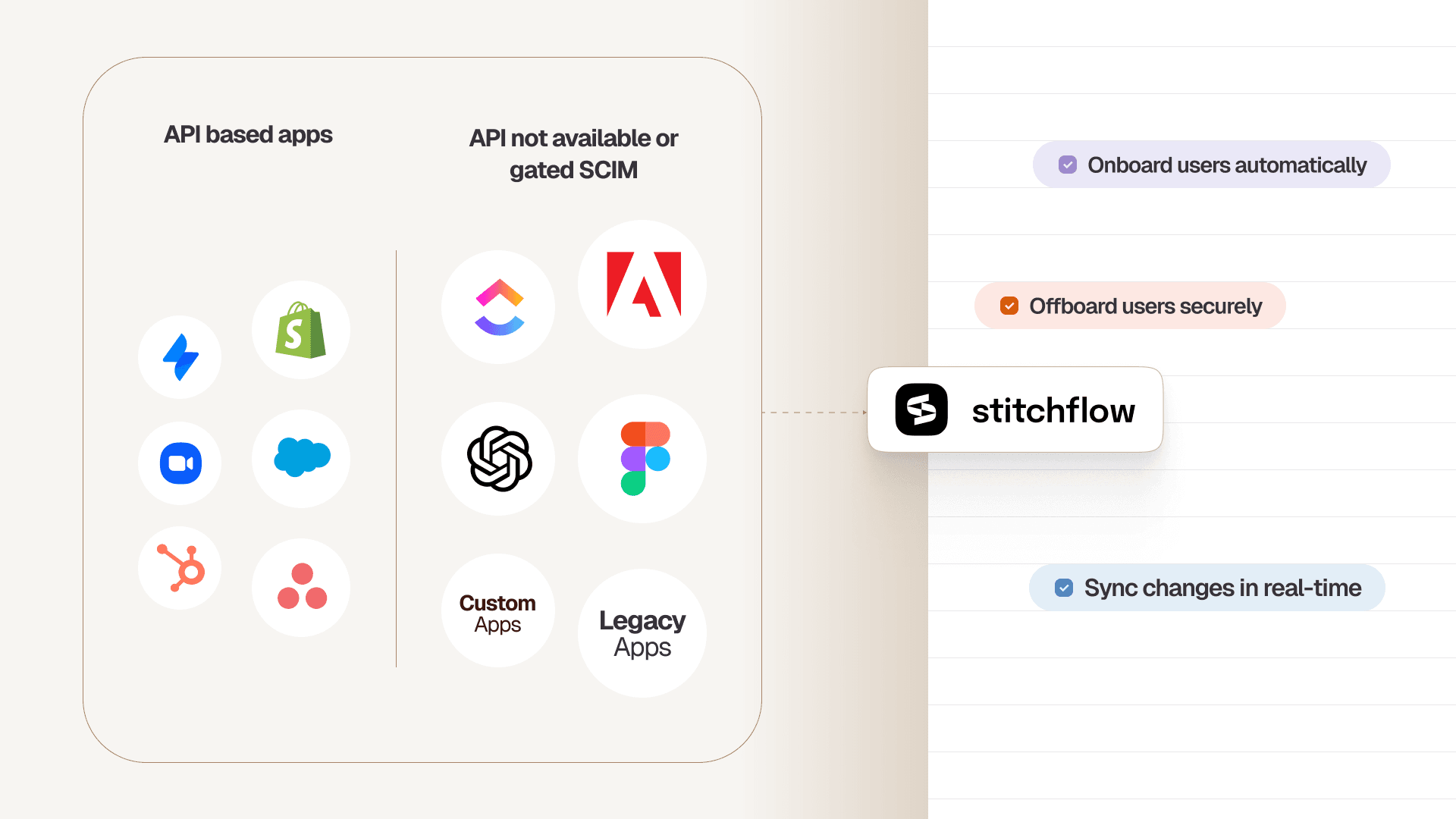
Stitchflow closes this gap by providing SCIM for apps without SCIM.
We use managed browser automation to turn any app with a web UI into a reliable, API-driven service.
Our system performs the same admin actions a human would—provisioning, changing roles, and deprovisioning—with the same uptime and reliability as a native API.
Unlike brittle RPA scripts that break with any UI change, Stitchflow is a fully managed service.
When an app's UI changes, a CAPTCHA appears, or an MFA challenge pops up, our 24/7 human-in-the-loop (HITL) on-call engineers are immediately alerted to fix it, ensuring your workflows never stop.
You simply consume it as a SCIM bridge in Okta, Entra ID, or OneLogin, or as an API in your workflow tool.
You automate 100% of your apps, eliminate manual work, and avoid paying the SCIM tax for good.
Schedule a demo to see how we can automate (de)provisioning for your most painful disconnected apps.
Unlock SCIM for any app without the enterprise upgrade
Trigger automated provisioning in your IdP just like native SCIM. Enabled by resilient browser automation, backed by 24/7 human monitoring, at a fraction of the enterprise plan cost.
Frequently asked questions
It's a two-step process:
- Policy: Define who should have access to what. An access control matrix (like our free tool) is the best way to do this.
- Automation: Enforce that policy instantly. The best way is to automate provisioning and deprovisioning. For apps that lack APIs, Stitchflow's managed browser automation is the only reliable way to do this.
- Policy: Define who should have access to what. An access control matrix (like our free tool) is the best way to do this.

Senior Product Manager, Stitchflow
Aishwarya is a product builder who enjoys the intersection of product thinking, design, and creative storytelling. She’s currently building tools for IT teams to simplify SaaS user management, formerly having built and scaled SaaS products from ground-up.